

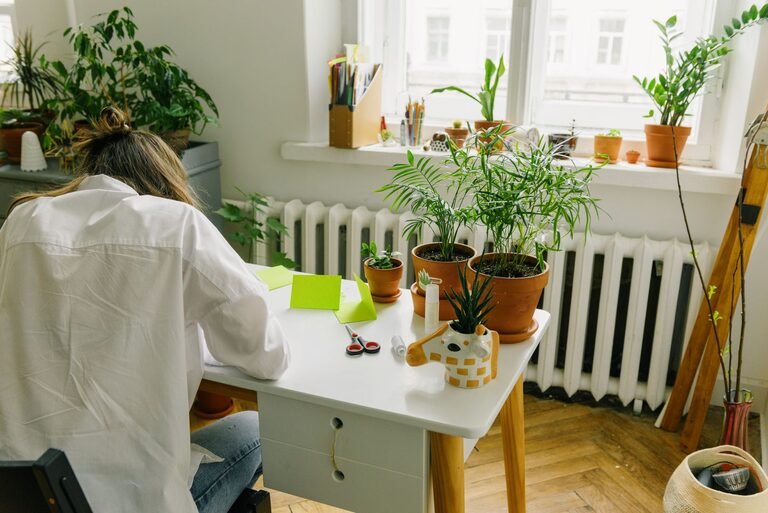
Creating a cozy and productive home office is essential for anyone who works from home or needs a dedicated space for tasks. A well-designed workspace can boost your focus, enhance creativity, and help maintain a healthy balance between work and relaxation. In this guide, we’ll explore tips to make your home office both inviting and efficient, no matter your budget or space.
Choose the Right Location
Find a Quiet Spot
Select a space in your home that minimizes distractions and offers some privacy. Avoid high-traffic areas like the kitchen or living room if possible. Even a small nook or a corner in a spare room can work well.
Consider Natural Light
Natural light is excellent for improving mood and alertness. Position your desk near a window, but avoid direct glare on your computer screen. If natural light isn’t an option, invest in good quality artificial lighting.
Invest in Comfortable and Functional Furniture
Pick an Ergonomic Chair
Spending hours sitting means comfort and good posture are crucial. An ergonomic chair with good lumbar support can prevent discomfort and long-term issues.
Choose the Right Desk
Your desk should fit your space and work style. Whether you prefer a standing desk, a compact table, or a larger workspace, ensure it suits your daily needs and allows for organization.
Personalize Your Space
Add Cozy Elements
Introduce soft cushions, a throw blanket, or a small rug to make the space feel warm and inviting. These touches can make long work hours more pleasant.
Include Plants
Indoor plants not only brighten your office but can also improve air quality and reduce stress. Low-maintenance varieties like succulents or snake plants work well indoors.
Organize Efficiently
Use Storage Solutions
Keep your workspace tidy by incorporating shelves, filing cabinets, or organizers. Clear surfaces help maintain focus and reduce stress.
Declutter Regularly
Make it a habit to clear out unnecessary papers, supplies, and gadgets. A neat environment fosters a clear mind.
Optimize Technology Setup
Arrange Your Devices Thoughtfully
Position your computer, keyboard, and monitor to reduce strain. The top of your monitor should be at eye level, and your keyboard and mouse should allow your arms to rest comfortably.
Manage Cables
Use cable organizers or clips to keep wires tidy and prevent clutter on and under your desk.
Control Noise and Distractions
Use Headphones or White Noise
If background noise is unavoidable, consider noise-cancelling headphones or playing soft white noise to maintain concentration.
Set Boundaries
Communicate your work hours to family or roommates to minimize interruptions.
Maintain Good Lighting
Use Layered Lighting
Combine overhead lights with task lighting such as adjustable desk lamps. This allows you to switch between bright light for focus and softer light for relaxation.
Choose the Right Bulbs
Opt for bulbs with a color temperature around 4000K to 5000K for a daylight effect that keeps you alert without harshness.
Encourage Breaks and Movement
Create a Relaxation Corner
If space allows, set up a small area with a comfortable chair or cushion for short breaks.
Incorporate Movement
Use a standing desk or take short walks to reduce fatigue and maintain energy throughout your day.
Keep It Inspiring
Add Personal Touches
Hang artwork, photos, or motivational quotes that inspire you without causing distraction.
Rotate Decor Seasonally
Changing your office decor periodically can refresh your environment and keep creativity flowing.
Final Thoughts
Designing a cozy and productive home office doesn’t require a complete overhaul. Small improvements in furniture, lighting, organization, and personalization can make a significant difference in how you feel and perform. By creating a space that fits your needs and preferences, you’ll set yourself up for success whether working from home part-time or full-time. Take the time to adjust and experiment until your home office truly feels like your best work environment.